Installation instructions:
1. Download the installation file KVL project (version ...);
2. Unzip the archive and install the program on your computer (setup.exe);
3. After the first installation, the activation window will open on the screen:
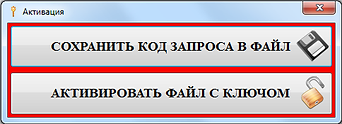
4. Save the request code to a file and send it to KVLproekt@yandex.ru. Please indicate in your letter Your details: Full name, company name and phone number if possible...
5. I advise you to request a DEMO-key during the first installation to check the operation of the KVL project on your computer with autocad installed. I will send you an activation key in a reply email. In the window "Activation" click "Activate a file with a key", select the sent key and use program. DEMO version requires internet access! Validity - 10 days;
6. Further, if everything suits you, you need to request a local key (by mail KVLproekt@yandex.ru) for the full activation of the KVL project for one year (for the cost and terms of distribution, see on the SERVICES page);
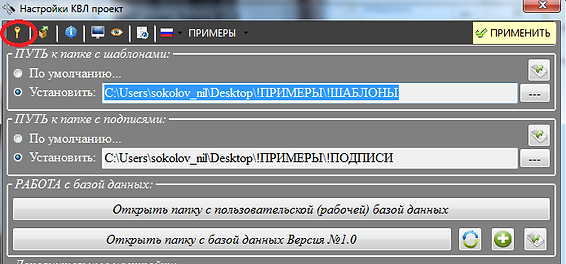
7. In response, I will send documents for payment (invoice, contract ...). After payment (send payment notification) I will send you an activation key by mail. Next, in the "General Settings" window, click "Key activation!", choose the sent key and use the program!
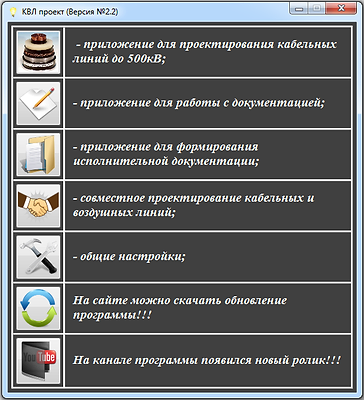
Please be loyal to errors and shortcomings and send adequate comments on the work
programs to the email address KVLproekt@yandex.ru
Full versions of Autocad (not LT) from 2010 and up are supported.
To register the full version (after installing the demo-key), you can activate the "full" key in the general settings:
Possible errors when installing the program:
1. The program is installed from the archive. First you need to unzip the zip archive;
2. KVL project is installed from a folder with a "very long" path;
3. To install, select the Setup.exe file (not SIP.application);
4. For KVL the project needs SQL (starting from version 3.5). If your computer does not have any applications required for the KVL project, the installer will download / install them itself, so if not access to the Internet, the installer will give an error;
5. The program is installed on the "C\" drive, so if there is no KVL access to it, the project will not be installed.
Possible errors after installing the program:
1. When opening the program, an error appears - "The database file Database1.sdf is damaged or missing!!!". Solution - you need to additionally install SQL 4.0


